TL;DR
The Short Answer
To build an MCP server in Python:
uv add "mcp[cli]"(the official SDK, now version 2.x).- Create
server.pywithfrom mcp.server import MCPServerandmcp = MCPServer("Name"). - Decorate plain Python functions with
@mcp.tool(),@mcp.resource("scheme://{param}")and@mcp.prompt(). Type hints and docstrings become the schema. - End the file with
mcp.run()(stdio transport by default). - Test with
uv run mcp dev server.py, which opens the MCP Inspector. - Connect it:
claude mcp addfor Claude Code,claude_desktop_config.jsonfor Claude Desktop, orMCPToolsetin PydanticAI.
Heads-up: SDK 2.0 renamed FastMCP to MCPServer. The old import from mcp.server.fastmcp import FastMCP is gone, not deprecated. Many tutorials online still show it; if you copy one, it will fail with the current SDK.
What an MCP Server Is (Tools vs Resources vs Prompts)
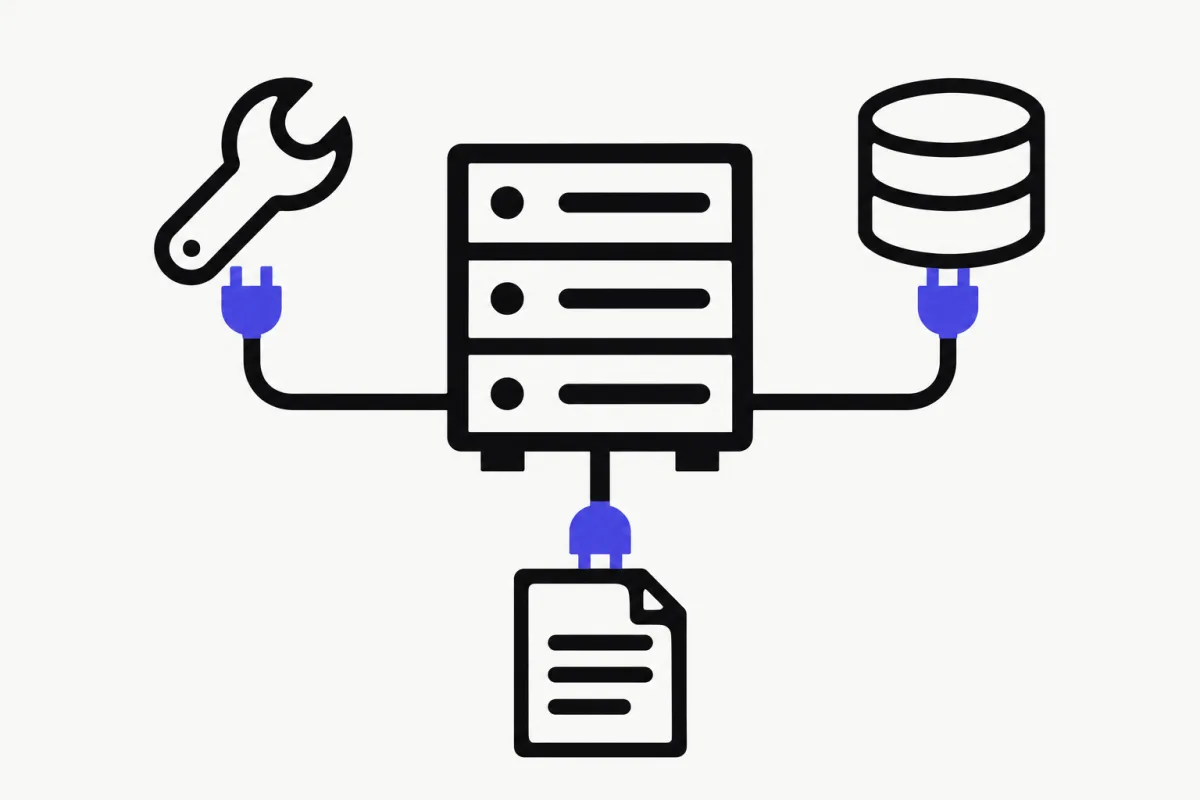
The Model Context Protocol is an open standard that lets an AI application (Claude Code, Claude Desktop, Cursor, VS Code, your own agent) use capabilities from external programs. Those programs are MCP servers. You write the server once, and every MCP-compatible client can use it.
A server exposes three kinds of building blocks, and the difference is who decides when they're used:
- Tools are model-controlled. The LLM sees their schemas and decides to call them. Tools can have side effects: write to a database, call an API, modify files. Clients may ask the user for approval before running one.
- Resources are application-controlled. They're passive, read-only data identified by a URI (like
notes://groceries). The client app decides what to load into context. - Prompts are user-controlled. They're templates the user picks explicitly, usually as a slash command, and the client inserts the rendered messages into the conversation.
Most servers are mostly tools. Start there, and add resources and prompts when you have data or workflows worth exposing.
| Tools | Resources | Prompts | |
|---|---|---|---|
| What it is | A function the model can call | Read-only data with a URI | A reusable message template |
| Who controls it | The model | The application | The user |
| Examples | Search flights, send a message, write a file | File contents, DB schema, API docs | Slash commands like /review-code |
| Python SDK decorator | @mcp.tool() | @mcp.resource("notes://{name}") | @mcp.prompt() |
| Protocol methods | tools/list, tools/call | resources/list, resources/read | prompts/list, prompts/get |
Step 1: Set Up the Project
You need Python 3.11+ (the SDK docs list 3.11+) and uv. Create a project and install the SDK with the cli extra, which adds the mcp command (mcp dev, mcp run, mcp install):
uv init notes-server
cd notes-server
uv add "mcp[cli]"
touch server.py
Step 2: Write the Server
We'll build a small notes server: two tools to save and list notes, a resource template to read a note by name, and a prompt that asks the model to summarize notes on a topic. It's small, but it uses every core feature, and it does something real (writes files) so you can see why the security section later matters.
A few things to notice:
- Type hints and docstrings are the schema.
MCPServerturnsadd_note(name: str, text: str)into a JSON Schema the model sees. Write docstrings for the model, not for yourself: say what the tool does and what valid input looks like. - Logging goes to stderr. We use the
loggingmodule, neverprint(). With the stdio transport, stdout is the protocol channel. More on this in common mistakes. - We validate the note name. The model chooses the arguments. Treat them like user input from the internet, because indirectly that's what they can be.
- Paths are anchored to the file, not the working directory, because Claude Desktop and Claude Code launch your server from wherever they like.
mcp.run()sits underif __name__ == "__main__":so thatmcp dev,mcp runand tests can import the file without starting the server. With no arguments it uses stdio.
import logging
from pathlib import Path

from mcp.server import MCPServer

logger = logging.getLogger(__name__)

NOTES_DIR = Path(__file__).parent / "notes"
NOTES_DIR.mkdir(exist_ok=True)

mcp = MCPServer("Notes")


def note_path(name: str) -> Path:
    """Map a note name to a file, rejecting anything that isn't a simple slug."""
    if not name or not name.replace("-", "").isalnum():
        raise ValueError("Note names may only contain letters, digits and dashes.")
    return NOTES_DIR / f"{name}.md"


@mcp.tool()
def add_note(name: str, text: str) -> str:
    """Save a note. name: short slug like 'groceries' or 'project-ideas'."""
    note_path(name).write_text(text)
    logger.info("Saved note %s", name)
    return f"Saved note '{name}'."


@mcp.tool()
def list_notes() -> str:
    """List the names of all saved notes, one per line."""
    names = sorted(p.stem for p in NOTES_DIR.glob("*.md"))
    return "\n".join(names) or "No notes yet."


@mcp.resource("notes://{name}")
def read_note(name: str) -> str:
    """Read a saved note by name."""
    return note_path(name).read_text()


@mcp.prompt()
def summarize_notes(topic: str) -> str:
    """Summarize everything in my notes about a topic."""
    return (
        f"Use the list_notes tool, read the relevant notes, "
        f"and summarize everything I wrote about {topic} in five bullet points."
    )


if __name__ == "__main__":
    mcp.run()
Step 3: Test It in MCP Inspector
Never debug a new server through Claude first. Use the MCP Inspector, the reference tool for testing MCP servers. The SDK wraps it in one command:
uv run mcp dev server.py
This starts your server over stdio and prints a URL for the Inspector's web UI. The Inspector is a Node.js app run through npx, and its docs require Node 22.19.0 or newer.
In the UI:
- Tools tab: select
add_note, entergroceriesand some text, run it. Then runlist_notes. - Resources tab:
notes://{name}appears under Resource Templates (not the plain resource list, because it has a parameter). Entergroceriesand read it. - Prompts tab: select
summarize_notes, enter a topic, and you'll get back one message withrole: user.
Try a bad name like ../secrets on add_note too. You should get an error, not a file outside notes/.
You can also launch the Inspector directly against any command, which is handy for servers you didn't write: npx @modelcontextprotocol/inspector <command> <args>. It has a --cli mode for scripted checks in CI (for example --method tools/list) and a --tui mode for terminals.
Step 4: Connect It to Claude Code
Claude Code adds local stdio servers with claude mcp add <name> -- <command> [args...]. Everything after -- is the command Claude Code runs to start your server. Use absolute paths (full commands below).
After adding it, run claude mcp list to check it, or type /mcp inside a Claude Code session to see the server's status. Then just ask: "save a note called groceries with eggs and milk".
Scopes: by default the server is stored in the local scope (only you, only this project, in ~/.claude.json). Add --scope project to write it to .mcp.json in the project root so your team gets it through git, or --scope user to use it in all your projects. For security, Claude Code asks for approval before using project-scoped servers from a .mcp.json.
If your server needs secrets, pass them with --env KEY=value (before the --) rather than hardcoding them.
# Add the server (local scope by default)
claude mcp add notes -- uv --directory /ABSOLUTE/PATH/TO/notes-server run server.py

# Share it with your team via .mcp.json instead
claude mcp add --scope project notes -- uv --directory /ABSOLUTE/PATH/TO/notes-server run server.py

# Inspect and manage
claude mcp list
claude mcp get notes
claude mcp remove notes
Step 5: Connect It to Claude Desktop
Claude Desktop reads servers from claude_desktop_config.json. Open it from the Claude menu → Settings… → Developer → Edit Config, or directly:
- macOS:
~/Library/Application Support/Claude/claude_desktop_config.json - Windows:
%APPDATA%\Claude\claude_desktop_config.json - Linux:
~/.config/Claude/claude_desktop_config.json
Add your server under mcpServers (see the JSON below), then fully quit and reopen Claude Desktop. If Claude Desktop can't find uv, put its absolute path in command (which uv on macOS/Linux, where uv on Windows). On Windows, use double backslashes in JSON paths.
Shortcut: uv run mcp install server.py registers the server with Claude Desktop for you. Claude Desktop doesn't inherit your shell's environment variables, so pass them with -v KEY=VALUE or -f .env.
If the server doesn't show up, check the logs: on macOS, tail -n 20 -f ~/Library/Logs/Claude/mcp*.log. mcp.log covers connection failures, and mcp-server-notes.log contains your server's stderr, which is exactly where your logging output lands.
{
  "mcpServers": {
    "notes": {
      "command": "uv",
      "args": [
        "--directory",
        "/ABSOLUTE/PATH/TO/notes-server",
        "run",
        "server.py"
      ]
    }
  }
}
Step 6: Use It From a PydanticAI Agent
MCP servers aren't only for chat apps. Your own agents can use them too, which is how you share one set of tools across Claude Code, your IDE and production agents.
PydanticAI connects to MCP servers with MCPToolset, a toolset that wraps the FastMCP client and supports stdio, Streamable HTTP and SSE. Install pydantic-ai (or pydantic-ai-slim[mcp]) in the same project:
uv add pydantic-ai
Then pass the toolset to your agent. async with agent starts the stdio subprocess and shuts it down afterwards; without it, PydanticAI opens and closes the connection as needed. MCPToolset also accepts a plain script path (MCPToolset('server.py')) or a URL for remote servers (MCPToolset('http://localhost:8000/mcp')). If you connect several servers with overlapping tool names, prefix them: MCPToolset(...).prefixed('notes').
Run it with uv run client.py so the agent and server share the project's environment. The model string is from the PydanticAI docs; swap in any provider you have a key for. Tools from MCP behave like any other PydanticAI tool, so everything in lesson 3 of our PydanticAI course (tool design, validation, retries) applies.
import asyncio

from fastmcp.client.transports import StdioTransport

from pydantic_ai import Agent
from pydantic_ai.mcp import MCPToolset

toolset = MCPToolset(StdioTransport(command='python', args=['server.py']))
agent = Agent('openai:gpt-6.1-sol', toolsets=[toolset])


async def main():
    async with agent:
        result = await agent.run(
            'Save a note called groceries with: eggs, milk, coffee. Then list my notes.'
        )
        print(result.output)


asyncio.run(main())
Going Remote: Streamable HTTP
stdio is right for local servers: the client launches your file as a subprocess, and nothing else can reach it. To deploy a server that several clients share, switch to Streamable HTTP:
- In code:
mcp.run(transport="streamable-http"). Transport options likehostandportgo torun(), not to theMCPServer(...)constructor (passing them there raises aTypeErrorin 2.x). - From the CLI:
uv run mcp run server.py --transport streamable-http. - The endpoint defaults to
http://127.0.0.1:8000/mcp. - Connect from Claude Code with
claude mcp add --transport http notes http://localhost:8000/mcp, or from PydanticAI withMCPToolset('http://localhost:8000/mcp').
Skip SSE for new work. The SDK docs call it superseded by Streamable HTTP; it only remains for older clients.
MCP Server Examples Worth Reading
The best way to learn MCP server design is to read good servers. The official modelcontextprotocol/servers repository keeps a small set of reference servers maintained by the MCP steering group:
- Everything: a test server that exercises prompts, resources and tools. Great for checking a client.
- Filesystem: file operations with configurable access controls.
- Git: read, search and manipulate Git repositories.
- Fetch: fetch web content and convert it for LLMs.
- Memory: a knowledge-graph-based persistent memory.
- Sequential Thinking and Time: small, focused examples.
The repo is explicit that these are educational reference implementations, not production-ready solutions. To find servers you can actually install, browse the MCP Registry. You can poke at any of them with the Inspector before trusting them, for example npx @modelcontextprotocol/inspector uvx mcp-server-git --repository ~/code/my-repo.
For the official step-by-step weather server (two tools calling the US National Weather Service API), see the Build an MCP server tutorial on modelcontextprotocol.io.
Common Mistakes
These are the problems the official docs call out, and the ones you'll hit first:
- Printing to stdout in a stdio server. stdout carries the JSON-RPC messages; stray output corrupts them and the client drops the connection. The SDK redirects flushed stdout to stderr while serving, but output written before serving starts, or
print()output that stays buffered, can still break things. Uselogging, which writes to stderr. - Copying a v1 tutorial.
from mcp.server.fastmcp import FastMCPdoesn't exist in SDK 2.x. Usefrom mcp.server import MCPServer. Also,get_context()is gone: declare actx: Contextparameter instead. - Relative paths in client config. Claude Desktop and Claude Code need absolute paths to your project, and sometimes the absolute path to
uv. - Not restarting Claude Desktop. Config changes only load after a full quit and reopen.
- Expecting your shell environment. Claude Desktop doesn't inherit your environment variables. Pass API keys explicitly (
envin the config,-v/-fwithmcp install,--envwithclaude mcp add). - Thinking the server hangs. A stdio server started by hand just waits silently for a client. That's correct. Test it with the Inspector instead.
- Returning huge tool outputs. Claude Code warns when an MCP tool's output exceeds 10,000 tokens and caps it at 25,000 by default (adjustable with
MAX_MCP_OUTPUT_TOKENS). Paginate or summarize in the tool.
Security Checklist
An MCP server is code that an AI model can trigger, running with your user account's permissions. The MCP security best practices and the Claude Code docs boil down to this:
- Prefer stdio for local servers. The MCP docs recommend it because it limits access to the client that launched the server. If you run a local HTTP server, require an authorization token; the Python SDK binds HTTP servers to
127.0.0.1by default, and offerstransport_securityfor DNS-rebinding protection once you deploy beyond localhost. - Validate every argument. The model fills in tool arguments, and the content it read earlier may be attacker-controlled (prompt injection). Restrict paths to a directory, allowlist operations, and never pass arguments into a shell.
- Least privilege. Expose the smallest set of tools and the narrowest data access that does the job. Read-only tools are much safer than write tools.
- Never pass tokens through. The spec forbids "token passthrough": a server MUST NOT accept tokens that weren't issued for it, and must not forward a client's token to a downstream API.
- Trust before you install. Claude Code's docs warn to verify you trust each server before connecting it, especially servers that fetch external content. Local servers can run arbitrary commands; read the config command and the code first.
- Don't treat a handle as authentication. If your server returns IDs (a cart, a workflow), bind them to the authenticated user server-side and make them unguessable.
Where to Go Next
You now have a working MCP server, tested in the Inspector and wired into Claude Code, Claude Desktop and a Python agent. Next steps:
- Pick a framework for the agents that will consume your server: our AI agent frameworks guide compares eight of them.
- Learn to build the agent side properly with our free PydanticAI course: tools, memory, testing and evals, and production deployment with FastAPI, Redis and Docker.
- Read the SDK's docs on structured output, context, progress and authorization at py.sdk.modelcontextprotocol.io.
FAQ
- What language should I use to build an MCP server?
- Any language with an official SDK. The MCP project maintains SDKs for Python, TypeScript, Go, Java, Kotlin, C#, Rust, Swift, Ruby and PHP. Python with the official mcp package is the quickest start: one decorator per tool, and type hints become the schema.
- Is FastMCP the same as the official MCP Python SDK?
- Not anymore in name. Version 1 of the official SDK shipped a FastMCP class. In SDK 2.0 it was renamed to MCPServer, imported with from mcp.server import MCPServer, and the old mcp.server.fastmcp path was removed. FastMCP also exists as a separate project, which PydanticAI uses for its MCP client.
- How do I test an MCP server without Claude?
- Use the MCP Inspector. With the Python SDK, run uv run mcp dev server.py to open it, then call tools, read resources and render prompts from the browser UI. The Inspector also has a CLI mode for automated checks in CI.
- What is the difference between MCP tools and resources?
- Tools are functions the model decides to call, and they can have side effects. Resources are read-only data identified by a URI that the client application decides to load into context. Prompts, the third type, are templates the user picks explicitly.
- Can PydanticAI use MCP servers?
- Yes. PydanticAI acts as an MCP client through MCPToolset, which connects to stdio, Streamable HTTP or SSE servers. Pass it to an Agent via toolsets, and the server tools become regular agent tools.
- Should I use stdio or HTTP for my MCP server?
- Use stdio for local servers that one client launches on your machine. It is the default and the safest option. Use Streamable HTTP when the server is deployed and shared by several clients. Avoid SSE for new servers, since it is superseded.